
Data loss can happen to anyone due to mishandling, malware, or accidental formatting. Whether it’s a USB key, hard drive, or memory card, the good news is that data recovery is possible with the right tools. If you’re facing a data loss situation, don’t panic! Below are the top 5 most popular and efficient data recovery software solutions to help you recover lost files.
1. Recuva by Piriform
Platform: Windows
Price: Free (Paid version available)
Best For: Recovering accidentally deleted files
Recuva is a well-known and user-friendly data recovery tool developed by the creators of the popular CCleaner. This freeware can recover files that have been accidentally deleted, including files removed from the Recycle Bin. It supports recovery for a wide range of file types, including photos, documents, and even videos. In addition to recovery from hard drives, it can also restore files from memory cards, digital cameras, and MP3 players. Even files deleted by viruses or system crashes can be retrieved with Recuva.
Key Features:
-
Can recover files from damaged or newly formatted drives
-
Works with a variety of media including hard drives, memory cards, and external devices
-
Simple interface with a deep scan option for more thorough recovery
2. Handy Recovery by Soft Logica
Platform: Windows
Price: $49 (Trial version available)
Best For: Advanced file recovery and creating disk images
Handy Recovery is a powerful data recovery solution available for Windows that supports FAT, NTFS, and most removable media. It offers the ability to create an image of your hard disk, allowing you to save files to an external medium. While the interface is not very user-friendly and may pose challenges for beginners, it is highly effective for more experienced users. It comes equipped with a strong search tool that makes locating lost files easy.
Key Features:
-
Supports FAT, NTFS file systems, and removable media
-
Powerful search tool for deep file recovery
-
Can create disk images for backup
Limitations:
-
Not suitable for beginners due to its complex interface
-
Unable to recover emails or network data
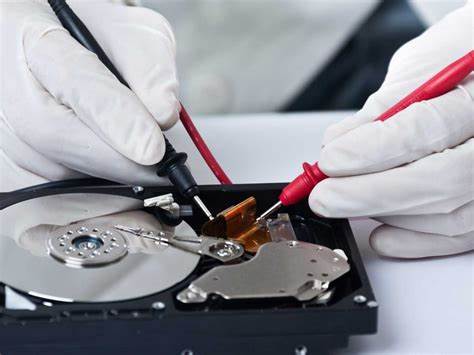
3. Windows Data Recovery
Platform: Windows
Price: Paid (Free trial available)
Best For: Comprehensive data recovery across various media
Windows Data Recovery is one of the most powerful and versatile data recovery software solutions available. Compatible with almost all operating systems, this software can recover data from virtually any type of media, including hard drives, SSDs, USB drives, and more. It features an excellent search tool that helps you recover files quickly and efficiently. If you’re looking for high-quality data recovery with a powerful scan feature, this software will meet your needs.
Key Features:
-
Can recover data from a wide range of media types
-
Powerful scanning tools for precise recovery
-
Available for all versions of Windows
Limitations:
-
Paid version is required for full functionality
4. EaseUS Data Recovery Wizard
Platform: Windows, Mac
Price: Free (Limited recovery) / Paid version for unlimited recovery
Best For: Beginners and advanced users alike
EaseUS Data Recovery Wizard is a highly popular and reliable data recovery tool that’s great for both beginners and advanced users. It can recover data from hard drives, external drives, USB drives, and more. It supports various file types, such as photos, documents, and videos, and is especially effective in recovering data after a system crash or accidental deletion. The free version allows you to recover up to 2GB of data, while the paid version offers unlimited recovery.
Key Features:
-
Easy-to-use interface suitable for both beginners and experts
-
Recovers a wide variety of file types
-
Previews files before recovery
Limitations:
-
Free version has a 2GB data recovery limit
-
Some features only available in the paid version
5. Disk Drill
Platform: Windows, Mac
Price: Free (Limited features) / Paid version for full recovery
Best For: Quick and efficient recovery for any data type
Disk Drill is a comprehensive data recovery tool that works on both Windows and Mac. It’s known for its user-friendly interface and quick recovery process. The software can recover a variety of file types from different storage devices, including hard drives, USB drives, and memory cards. Disk Drill also comes with a useful feature called “Data Protection,” which helps prevent accidental deletion in the future.
Key Features:
-
Supports recovery for a wide range of devices and file types
-
Provides data protection features
-
Quick scan and preview functionality
Limitations:
-
The free version has limited recovery features
-
Full recovery requires upgrading to the paid version
Conclusion
Losing data can be a stressful experience, but with the right data recovery software, you can often recover your lost files with minimal effort. Whether you’re looking for a simple, free tool like Recuva, a more powerful solution like Windows Data Recovery, or something in between like EaseUS Data Recovery Wizard, these software options can help you get your data back. Remember to always back up your data regularly to minimize the risk of losing important files in the future.