
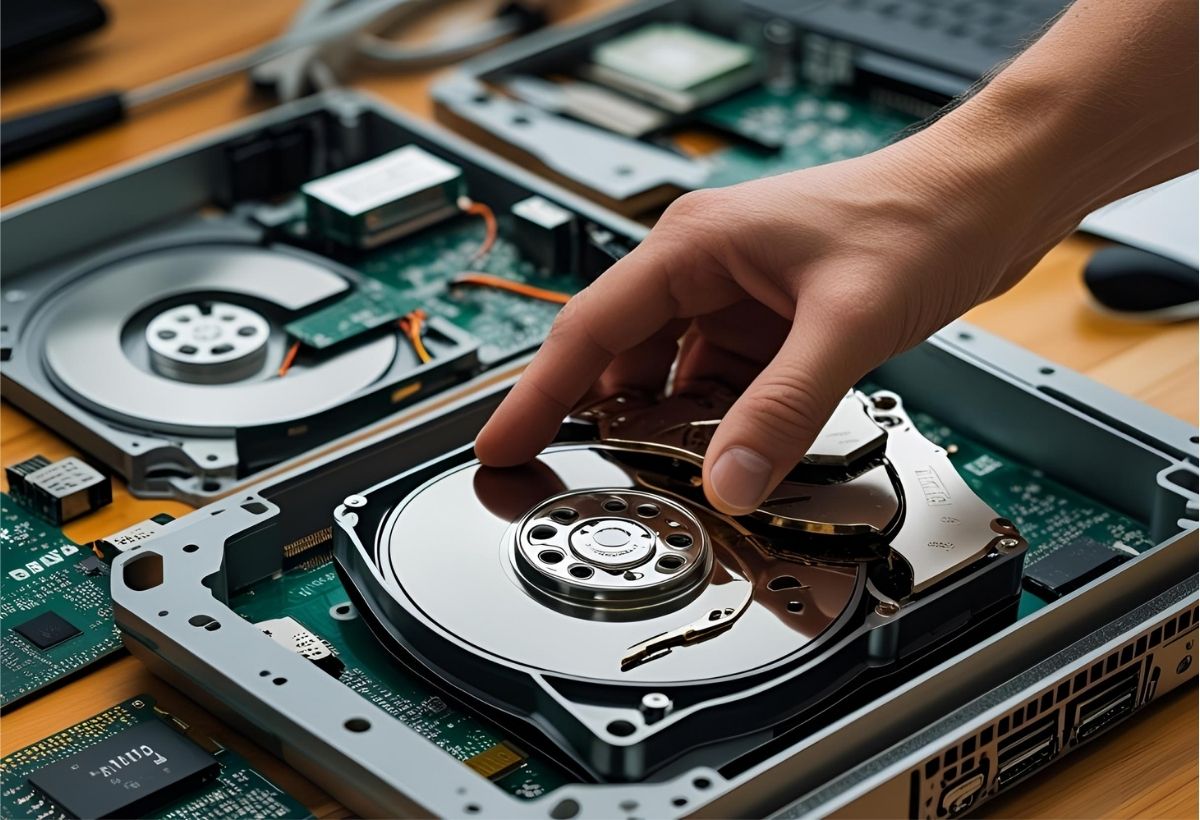
Hard drive failure is more than just a hardware malfunction—it’s a message. When a drive crashes, it’s not simply a random event. It’s the culmination of physical wear, environmental factors, data integrity issues, or a combination of all three. For businesses and individuals alike, understanding what a hard drive failure is signaling can be the difference between recoverable data and irreversible loss.
This article takes a deeper look into the causes of hard drive failure, the early warning signs users often overlook, and how to interpret the symptoms to make smarter decisions about backup strategies, device maintenance, and data recovery options.
The Anatomy of a Hard Drive: Where Failures Begin
To understand failure, it’s important to understand the basic architecture of a hard drive:
-
Platters: Disks coated with magnetic material where data is stored.
-
Read/Write Heads: Tiny arms that float micrometers above the platters to access or write data.
-
Spindle Motor: Spins the platters at high speeds.
-
Controller Board: Manages communication between the drive and the system.
-
Firmware: Software instructions embedded in the drive that direct internal operations.
Each of these components is a potential point of failure. Whether it’s a mechanical failure, electronic issue, or software/firmware corruption, each tells its own story.
Decoding the Failure: What the Symptoms Reveal
1. Clicking or Grinding Noises
Known as the “click of death,” this is one of the most common symptoms of mechanical failure. It typically indicates that the read/write heads are misaligned or stuck and attempting to reposition unsuccessfully.
What it’s telling you: Stop using the drive immediately. Continued power cycles can lead to platter damage and irreversible data loss.
2. Slow Performance or Freezing
Drives that take longer than usual to access files, or cause the system to freeze during file transfers, may be experiencing degraded sectors or pending mechanical issues.
What it’s telling you: The drive may be developing bad sectors. These can spread over time, leading to complete failure if not addressed early.
3. Corrupted or Missing Files
Files that disappear, fail to open, or show corrupted data are often signs of file system corruption or firmware issues.
What it’s telling you: The logical structure of the drive is compromised, possibly due to power loss, malware, or degraded sectors.
4. Drive Not Recognized by the System
If your drive is no longer recognized by your computer or BIOS, it may have suffered a controller board failure or firmware corruption.
What it’s telling you: This is a serious failure, often requiring hardware-level diagnostics and repair in a professional lab setting.
5. Overheating
A hot hard drive can lead to rapid wear of mechanical components, increased read/write errors, and eventual failure.
What it’s telling you: The drive is under thermal stress, often due to poor airflow, dust buildup, or internal motor issues.
The Root Causes Behind the Signals
Understanding why these failures occur can help prevent future loss:
-
Age and Wear: Like any mechanical device, hard drives degrade over time. Bearings wear out, and platters lose magnetic stability.
-
Environmental Factors: Heat, dust, moisture, and vibration can accelerate physical wear or cause immediate failure.
-
Power Issues: Voltage spikes or power outages can damage the controller board or corrupt data.
-
Human Error: Accidental drops, improper shutdowns, and poor handling during transport are frequent causes of mechanical and logical failures.
-
Manufacturing Defects: In some cases, early failure is due to defective components or firmware bugs known to affect specific drive models.
What to Do When You Suspect Failure
-
Stop Using the Drive: Any continued use can worsen damage, especially if physical failure is involved.
-
Do Not Attempt DIY Repair: Opening a drive outside of a certified cleanroom can destroy the internal components. Running generic recovery software can further corrupt the data.
-
Document the Symptoms: Make note of any unusual noises, error messages, or performance issues. This information helps recovery professionals diagnose the issue faster.
-
Consult a Professional: A certified data recovery lab can assess whether your data is recoverable, often at no charge for evaluation.
Lessons from the Crash: What You Can Learn
Hard drive failure serves as a reminder that no storage medium is immune to failure. Even enterprise-class drives and solid-state drives (SSDs) have failure points.
Takeaways:
-
Always Maintain Backups: Use the 3-2-1 backup rule—3 copies of your data, 2 different storage media, 1 off-site.
-
Monitor Drive Health: Tools like S.M.A.R.T. monitoring software can alert you to early warning signs before failure occurs.
-
Control Your Environment: Keep systems cool, stable, and protected with surge protectors and uninterrupted power supplies (UPS).
-
Replace Aging Drives: Proactively retire hard drives after 3–5 years of use, especially in high-demand environments.
Conclusion
A hard drive crash isn’t just a frustrating interruption—it’s a message. It reflects underlying mechanical, electrical, or logical issues that often build up over time. Understanding what those signs mean allows users and organizations to act faster, prevent future incidents, and safeguard what truly matters: their data.
When a drive begins to fail, silence is the costliest response. Knowing when to listen, and when to act, is the key to effective data preservation and recovery.