
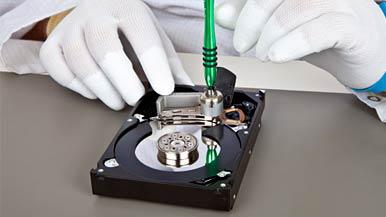
SanDisk Flash Drives are widely used for storing important files due to their portability and convenience. Whether you’re working on a presentation for a project, storing school assignments, or saving personal files, these drives are reliable. However, as with any storage media, there are risks involved, and sometimes your SanDisk flash drive may experience damage, making it difficult or impossible to access your files.
If you’re facing data loss due to a damaged SanDisk Flash Drive, understanding the causes of the issue and the tools available for recovery can help you get your data back.
Common Causes of Flash Drive Damage
SanDisk flash drives, like other storage media, can suffer from a variety of problems that may cause data loss:
-
Hardware Malfunction: Physical damage or wear and tear over time can affect the internal components of the flash drive.
-
Power Surge or Outage: Sudden power loss or a surge can interrupt data transfer or cause damage to the drive’s internal circuitry.
-
Water Damage: Exposure to moisture can lead to short circuits or corrosion.
-
Physical Damage: Dropping or bending the drive can cause internal damage to the connectors and chip.
-
Virus or Malware: Malware can corrupt or destroy files stored on your drive.
-
Misoperation: Accidental deletion, improper ejection, or incorrect formatting can render files inaccessible.
-
Formatting Failure: Incorrect formatting can result in a drive being unreadable by your system.
If your SanDisk flash drive is damaged, it’s important to act quickly to attempt recovery before the damage worsens.
Top Tools for Recovering Data from SanDisk Flash Drives
If you’re looking to recover data from a damaged SanDisk flash drive, there are several software tools available that can help, depending on the severity and nature of the issue. Here are three highly recommended tools for SanDisk flash drive data recovery:
1. Disk Drill (Windows and Mac)
Disk Drill is a popular and easy-to-use data recovery tool that works on both Windows and Mac OS. It supports over 400 file formats and is capable of recovering data from a variety of storage media, including SanDisk flash drives and memory cards. Whether you’re a beginner or an advanced user, Disk Drill’s straightforward interface and powerful features make it an excellent option for recovering lost files.
-
Key Features:
-
Recovers a wide variety of file formats
-
Simple interface for both beginners and advanced users
-
Works with both Windows and Mac OS
-
Supports many types of storage media, including USB flash drives
-
2. PhotoRec (Windows, Mac & Linux)
PhotoRec is another great tool, especially for recovering photos, videos, and other media files from your SanDisk flash drive. It works on Windows, Mac, and Linux and is known for its robust recovery features. Though the interface is not as polished as some other tools, it is highly effective at scanning for and recovering lost files, particularly when the flash drive has suffered damage due to formatting or other issues.
-
Key Features:
-
Excellent for recovering photos and media files
-
Works on Windows, Mac, and Linux
-
Capable of recovering files from damaged or corrupted drives
-
Open-source and free to use
-
3. Data Rescue (Windows & Mac)
Data Rescue is a no-frills recovery tool that is designed for both Windows and Mac users. It is known for its simplicity and efficiency. Data Rescue makes it easy to recover lost or deleted files from SanDisk flash drives and other storage devices. Its user-friendly interface and reliable recovery algorithms make it an excellent choice for those who need a straightforward solution to recover their files.
-
Key Features:
-
Simple and easy-to-use interface
-
Works on both Windows and Mac
-
Recovers data from damaged or corrupted drives
-
Includes additional features like disk cloning for recovery
-
Conclusion
When your SanDisk flash drive becomes damaged, whether from physical impact, corruption, or other issues, it’s important not to panic. Several recovery tools can help you retrieve your important data. Disk Drill, PhotoRec, and Data Rescue are all excellent choices, each with unique features that can help you recover lost files effectively.
Remember, if you’re unable to recover the data yourself using these tools, professional data recovery services can often offer more advanced solutions to retrieve data from severely damaged drives. Always back up important files regularly to avoid future data loss, and consider using multiple storage media to protect your files.